
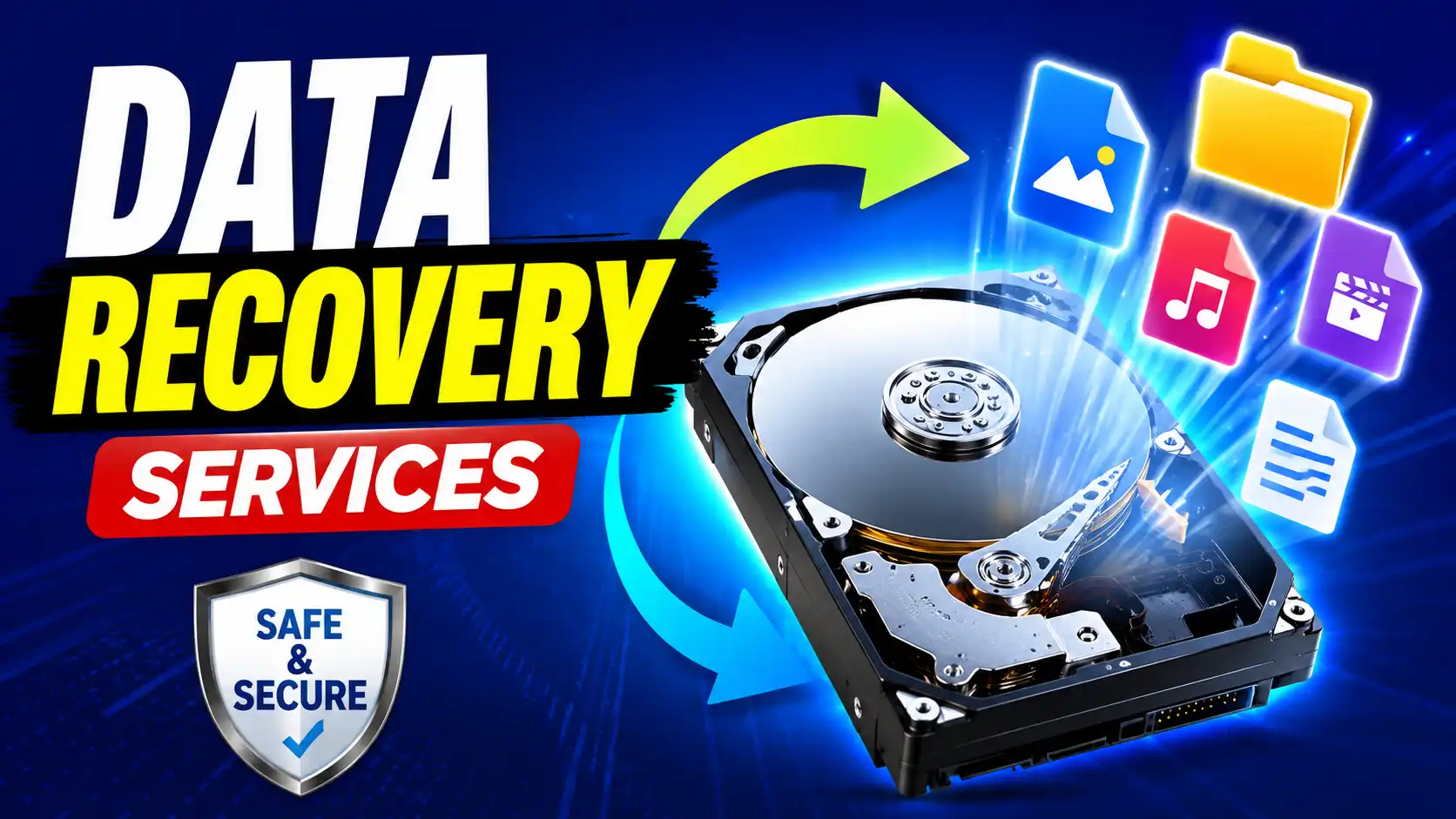
This article will explain what data recovery services are, the most common reasons for data loss, what devices can be recovered, and when it’s time to seek professional help.
Data loss can occur at the most unexpected time. A hard drive crashes and a family photo album goes missing, business files are deleted by mistake, or a cell phone just stops working. Losing important files can be stressful, but it does not mean your data is gone forever.
This is where data recovery services are invaluable. Professional data recovery experts use sophisticated tools, specialized software, and proven techniques to recover files from damaged, corrupted, or inaccessible storage devices. If your files were accidentally deleted or a hardware failure occurred, professional recovery services are generally your best bet at recovering your valuable information.
What is a data recovery service?
Data recovery services are specialized solutions designed to restore lost, deleted, corrupted, or inaccessible data from digital storage devices. These services are used by individuals, businesses, educational institutions, and organizations whenever important files are unavailable due to accidental deletion, software problems, hardware failures, or physical damage.
Professional recovery services can often recover data from devices that no longer power on, have experienced mechanical failures, or have damaged storage components, something that standard recovery software cannot do.
Most recovery vendors begin by looking at the device that has been hit to see what caused the problem. They then suggest the safest way to recover before pulling any recoverable files and checking their integrity.
Read More: iphone insurance price in india
Read More: Vivo Y21e Frp bypass
Reason for data loss
Knowing why the data was lost will help prevent this from happening again. Some of the most common causes are:
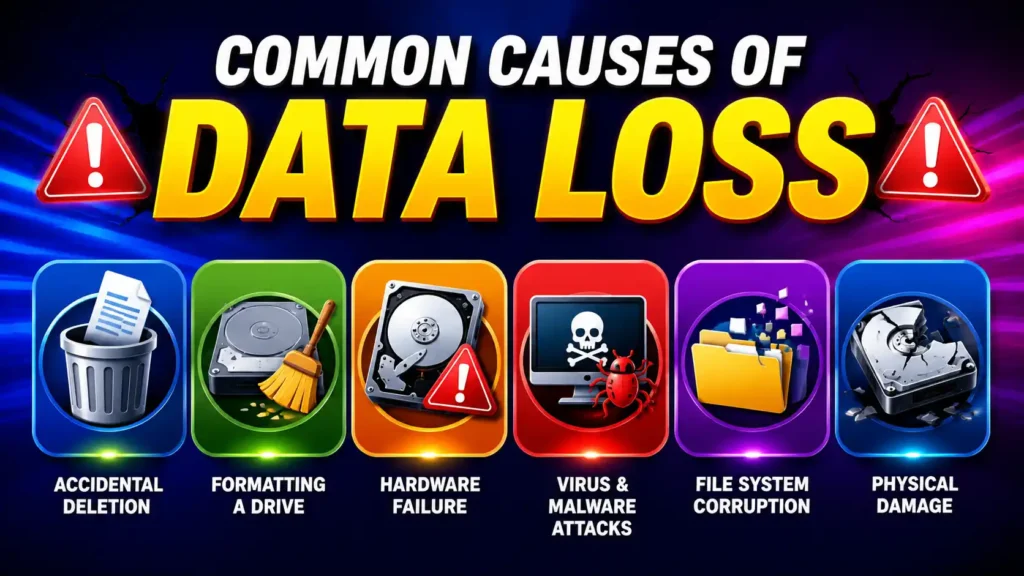
Accidentally deleting
One of the biggest causes of data loss is deleting files by mistake. Deleted files may be recoverable for a period of time, but continued use of the device can overwrite the data and reduce the possibility of recovery.
Formatting a Drive
Formatting a hard drive, SSD, USB flash drive, or memory card erases the file system structure. Quick formatting may leave much of the data intact for now, but new data written to the device can permanently overwrite recoverable files.
Hardware Problems
Eventually storage devices wear out. Mechanical hard drives can have damaged read/write heads, failed motors, or scratched platters. SSDs can fail due to controller problems or worn flash memory.
Virus and Malware Attacks
Malicious software can delete files, encrypt data, corrupt operating systems, or damage storage structures. Ransomware attacks are particularly dangerous because they can lock files away until a decryption key is paid for.
Corruption of the file system
Improper shutdowns, software crashes, interrupted updates, or power failures can corrupt the file system, causing the drive to appear empty or unreadable.
Physical Damage
Dropping your laptop or exposing your phone to water, fire damage, or electrical surges can cause physical damage to storage devices, making recovery more difficult.
Devices data recovery
Professional recovery services support many different types of storage devices.
Hard Disk Drives (HDD)
Legacy hard drives continue to be among the most commonly recovered legacy devices. Experts can often retrieve documents, videos, photos, and business files from mechanically damaged or logically corrupted drives.
Solid-State Drives (SSD)
SSDs offer high performance, but due to TRIM and advanced controllers, they require special recovery techniques.
External Hard Drives
External drives are commonly used for backups, but they are susceptible to accidental drops, cable failures, corruption, or power problems.
USB Flash Drives
Broken connectors, corrupted firmware, or accidental formatting can cause USB drives to stop working. Often, professional recovery services can recover important documents and media files.
Memory cards
SD and microSD cards in smartphones, cameras, drones, and action cameras can become unreadable due to corruption or physical damage. Often, photos and videos that are lost can be recovered.
Mobile Phones
Today’s Android and iPhone devices store lots of personal data, such as contacts, messages, photos, and videos. Depending on the condition of the device, specialists can sometimes recover important information from damaged phones.
Personal Computers and Laptops
Even if a computer won’t boot, the data on the internal storage device might still be recoverable. The professionals can recover the files without any further damage.
Professional Data Recovery Services Explained
Professional data recovery is a structured process designed to maximize the chances of recovering your files while protecting the original storage device from further damage.
1. Preliminary Assessment
Device check The recovery process begins with a device check. The technicians identify whether the issue is due to accidental deletion, corruption of the file system, software failure, or physical damage. This assessment can also help to determine the most appropriate recovery method.
2. Diagnosis and Plan for Recovery
Once the problem has been identified, the technician creates a recovery plan. Special equipment may be needed to access the storage media if the device is physically damaged. For logical problems, advanced recovery software and forensic techniques are often applied.
3. Recover Data
Whenever possible, the recovery process always begins by creating a complete image of the storage device. Using a copy instead of the original reduces the risk of further data loss. Then the technician recovers recoverable files and rebuilds damaged file systems if needed.
4. Check Files
We check recovered files to make sure they are not corrupted and open correctly. Documents, photos, videos, and other files are being processed and returned to the customer.
5. Delivery security
When recovery is successful, the recovered data is copied to a new storage device, such as an external hard drive or USB drive. Many providers also protect customer privacy by securely deleting temporary copies.
DIY Data Recovery vs Professional Data Recovery Services
There are many people who ask if they should try recovery software before they call a professional. The answer depends on the kind of data loss.
DIY recovery software works well for simple situations like accidentally deleting files or emptying the recycle bin. But it should be used only when the storage device is healthy and still working fine.
If you have, professional recovery services are recommended.
- The hard drive makes clicking or grinding sounds.
- SSD is not detected anymore.
- Water or fire has damaged the equipment.
- The storage device was dropped.
- The partition is no longer accessible.
Business or other irreplaceable personal data involved.
If you try to recover a physically damaged drive yourself, you will only make things worse and permanently reduce the chances of successful recovery.
Types of Data That Can Be Recovered
Professional services can recover the following types of files among many others:
- Family pictures and videos
- Microsoft Office files
PDF files - Talks
- Email archives
- Data bases
- Music compilations
- Cell phone data
- Corporate archives
- CCTV footage
- Interior designing projects
- Source code
- Financial statements
The success rate depends on the amount of damage and whether the data has been overwritten.
What is the Cost of Data Recovery Services?
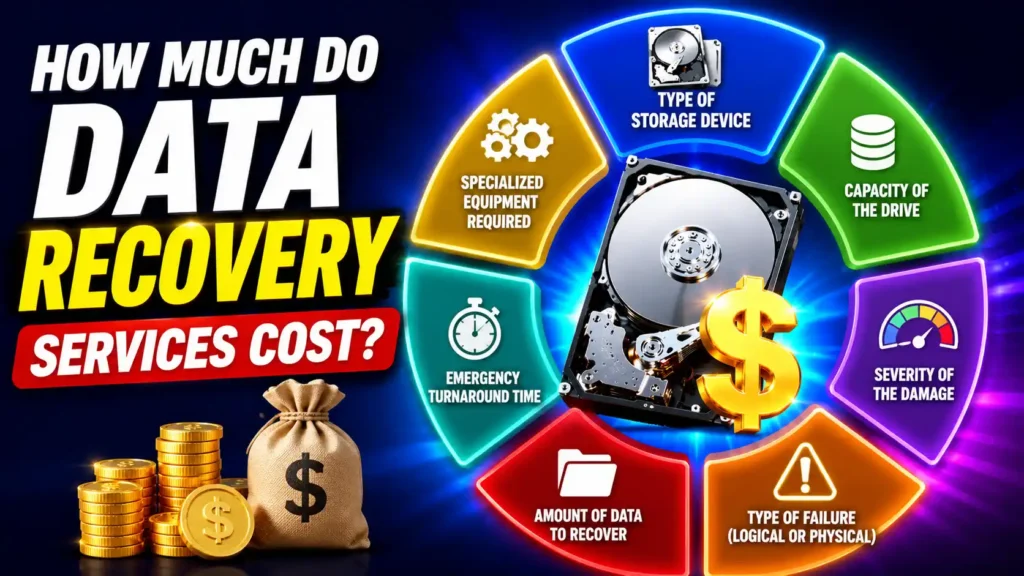
The price of data recovery is determined by various factors.
These are:
- Storage device type
- Drive capacity
- Degree of Damage
- Failure type (physical or logical)
- Data to recover quantity of
- Turnaround time for emergencies
- Specialist equipment required
In most cases, logical recovery is less costly than physical recovery from damaged hardware. Repair and part replacement costs for devices that require cleanroom work are generally higher as they involve sophisticated, higher equipment and highly skilled technicians.
Request a transparent quote before you select a provider and check if they practice a “No Data, No Fee” policy.
How to Pick the Best Data Recovery Service
Not all recovery companies have the same expertise. Choosing the right provider can mean the difference between recovering your important files and not.
Look for these qualities:
Skilled Technicians
A good recovery team should have experience with hard drives, SSDs, RAID systems, smartphones, and removable storage devices.
Clear Pricing
Find a company that clearly states pricing before starting the recovery process. Don’t buy from suppliers who promise low prices but don’t tell you about any extra charges.
Protection of Data
Your personal and business files are to be kept in confidence during the recovery. Learn how recovered data will be handled and if temporary copies will be deleted forever.
High Success Rate
No company can promise 100% recovery, but experienced providers often do very well with many common recovery situations.
Reviews from Customers
They also look at real customer reviews to get a sense of the company’s professionalism, communication, and quality of service.
Tips for Preventing Data Loss
It’s always better to prevent than to cure, as it takes a long time and costs a lot of money to recover lost data.
Here are some simple things you can do to protect your files:
- Regularly backup important files.
- Make duplicates to cloud storage and external drives.
- Keep your operating system updated.
- Get a good anti-virus program.
- Safely remove USB drives before unplugging them.
- Keep devices away from water, dust, and extreme temperatures.
- Don’t drop laptops and external drives.
- Replace aging storage devices before they fail.
- Use surge protectors to protect desktop computers.
- Periodically test your backups to make sure they work.
The best way to minimize the effects of unexpected data loss is to have a reliable data backup routine.
Frequently Asked Questions (FAQ)
Yes, in many cases. If the deleted data has not been overwritten with new information, it can be restored with the help of professional recovery methods.
Simple logical recoveries can be performed in just a few hours, whereas physically damaged devices may take a few days depending on how complex the repair is
No. The success rate depends on a number of factors, such as the extent of physical damage, whether or not the storage media are still readable, and whether or not data has been written over the lost files.
Sometimes. If the device has been handled correctly and switched off immediately after contact with water, some or all of the data stored may be recoverable by professional technicians.
Good recovery providers understand how important customer privacy is and use secure procedures when dealing with sensitive information.
In summary:
Losing valuable data is frustrating, but that doesn’t necessarily mean your files are gone forever. For whatever reason data is lost, be it accidental deletion, hardware failure, corruption or physical damage, professional data recovery services can often recover files that seem impossible to retrieve.
The first and most important thing to do after discovering data loss is to immediately stop using the affected device. Continued use may erase recoverable files and reduce the chance of a successful recovery.
If you want your important documents, photos, videos and business information back safely, your best chance is to choose an experienced and trustworthy data recovery service. Combine that with regular backups and good data management habits and you can minimize the risk of future data loss and keep your digital information protected.










Good information. Lucky me I recently found your website
by chance (stumbleupon). I’ve book marked it for later!
Hello it’s me, I am also visiting this site on a regular basis, this site is truly
pleasant and the viewers are in fact sharing good thoughts.
Great content! Keep up the good work!