 Advertisement
Staying connected to the internet wherever we are is an important part of mobile data these days. Wi-Fi isn’t around? Mobile data connects you. With it you can browse web sites, use social media apps, watch videos, send emails and use maps. Many first-time smartphone users don’t know how to switch on mobile data or how much data they have left. They also don’t know if mobile data should be on or off. Learn these basics and you won’t pay for things you don’t need and you’ll have a better time on the internet.
This guide will tell you everything you need to know about mobile data, including how it works, how to save it and how to keep track of how much you use it on an Android device.
READ MORE: Android Screen Damage Insurance Cost Guide
Enable your mobile data
Most smartphones have a simple way to turn on mobile internet. Mobile data is when your phone connects to your carrier’s network and the internet, so it doesn’t have to have a Wi-Fi link. Your cell network allows applications to send and receive data when mobile data is on.
To get started with setting up mobile data, open the Settings app on your Android phone. Scroll down and tap on “Connections” or “Network & Internet” depending on the type of gadget you have. Search for “Mobile Network” or just “SIM Cards & Mobile Networks.” Here you’ll see a toggle switch that says “Mobile Data”. Turn the switch on to go online on your phone.
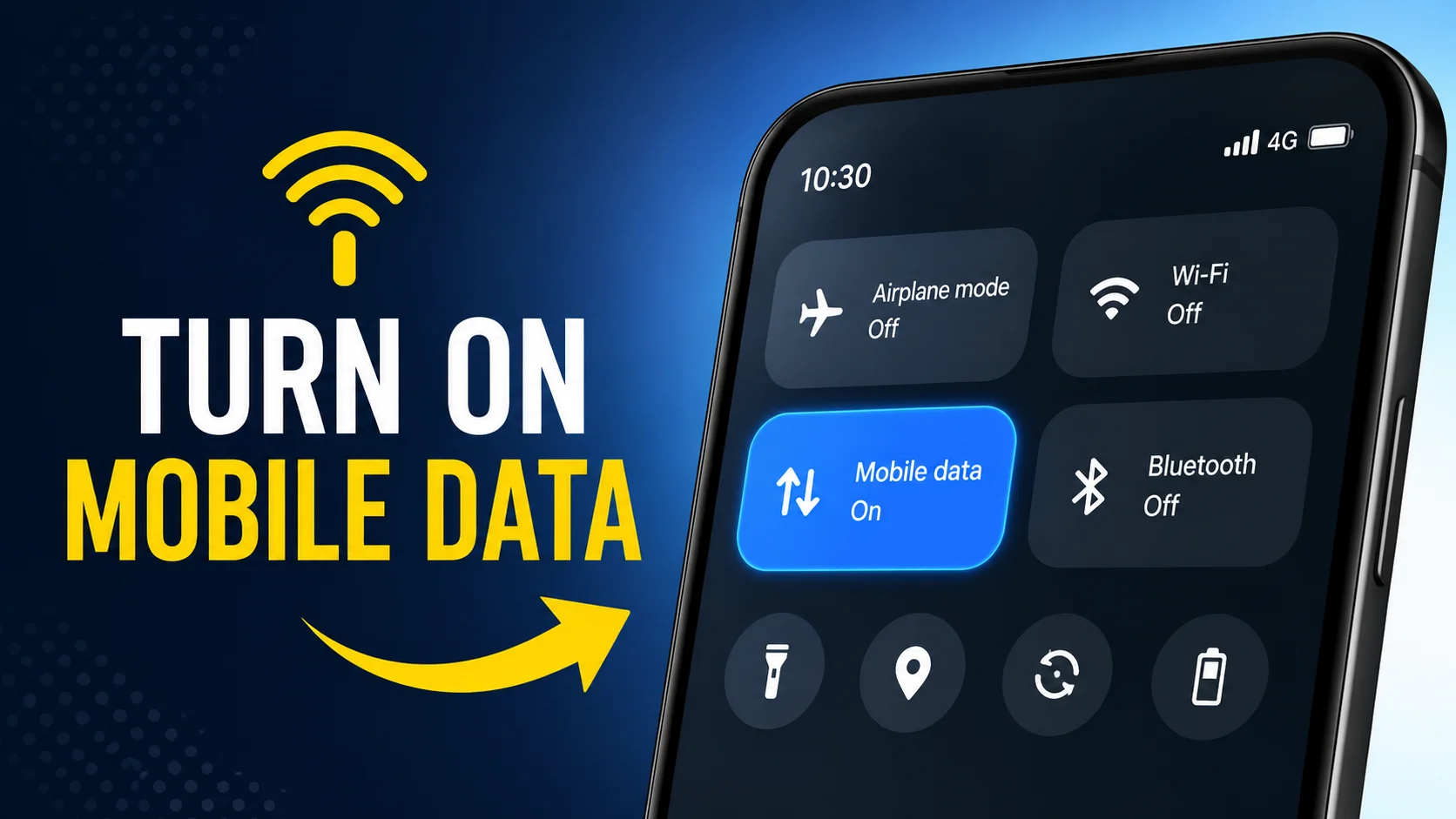
You can also turn on mobile data quickly from the Quick Settings panel. Scroll down from the top of the screen and tap the phone-like icon. If it’s on, you should see signal indications such as 4G, LTE or 5G next to the network signal bars.
If you switch on mobile internet and it doesn’t work, make sure aeroplane mode is not on. You may also have to check the settings on your service, or restart your phone. Sometimes mobile internet may not work properly as network is down or there is not enough balance.
But the knowledge of how to switch on mobile data is crucial because it keeps you connected even when Wi-Fi networks aren’t available. Mobile data is a good way to get online when you’re on the go, working from home, or just away from home.
Data Usage on Android
You want to control the data usage on your Android phone so you don’t exceed your data limit and get extra charges from your cellular phone provider. Android phones have a ton of built-in tools to help people monitor and manage their internet usage.
To see how much data you’re using on Android, open the Settings app and tap “Network & Internet” or “Connections.” Tap “Data Usage” to see more detail on how much data you’re using on your phone. You can see how much data you’ve used in a given billing period and which apps are using the most data.
Many apps use data even when you’re not using them, so make sure your apps are closed. Social media sites, cloud storing services, messaging apps and automatic updates mean you can use much more data. Android users can also limit which apps can use background data to help them stick to their monthly data limits. Another useful thing is “Data Saver” mode. With Data Saver on, it restricts background internet activity and unnecessary data exchanges. This can be a very useful function for people who don’t have a lot of data or are traveling to places where mobile data is expensive.
Regularly checking how much data your Android uses can help you understand how you browse and find ways to use less data when you don’t need to.
what is the data on a cell phone
A lot of smartphone users ask the question “What is the data on a cell phone?” Things stored on a cell phone Mobile data is the internet service your cell phone provider gives you over portable networks, such as 3G, 4G LTE and 5G. Mobile data connects your device to the internet via cellphone towers . Wi-Fi connects your device to the internet via a router in your neighborhood and broadband connection .
Anytime you do something online using your carrier’s network, you’ll be using data. This includes looking at pictures and videos, listening to music, sending e-mails, using social networks and making video calls on the internet; The amount of data used for different tasks varies based on the type and quality of the content you’re accessing.
For instance, reading text-only websites doesn’t use much data, but streaming HD movies will use up several gigabytes of data very fast. Cloud backups, software updates and videoconferencing apps are some of the biggest culprits.
Most cell phone companies have data plans that have a certain amount of data per month. Some internet service providers throttle connections once the limit is reached, while some may charge overage fees. When people know what mobile data is and how it works, they can make smart decisions about using the internet.
Smartphones these days show network indicators like 4G, LTE, or 5G to show what kind of cell link is being used. Faster network means faster download and overall better performance in general.
If they know what mobile data is, mobile data helps the users to better control their plans and select the right package for their daily needs and how they use the internet.
Turn mobile data on or off
Owners of smartphones frequently ask themselves whether they should turn mobile data on or off. It depends on how you usually use your phone, your data plan, and your own personal preferences.
Leaving cell data on means you have constant internet access, even when Wi-Fi isn’t available. This is especially handy for messaging apps, navigation apps, syncing emails and for communication in an emergency. It’s usually a good idea for people who travel a lot or work away from home to have their mobile data on.
But if you’ve got mobile data switched on all the time, it means background apps may be syncing information even when the phone isn’t in use, which can use up more data. You might discover that automatic updates, cloud backups and app prompts consume data you don’t need.
Disabling mobile data can help you save money on your monthly plan and battery life. If this setting is turned off, apps can only access the internet over the cellular network if they are also connected to Wi-Fi. This is a great method for people who have limited data plans or want to save money.
One good way to do that is to only use mobile data when you need to and turn it off when you don’t need your phone. A lot of smartphones will also have Data Saver features that reduce background activity but still allow you to go online.
Ultimately whether you should have mobile data on or off will depend on your own wants. Knowing the ups and downs of each can help you take charge of your internet use more intentionally.
How much mobile data do I have left?
One of the biggest parts of managing a cell plan is monitoring how much data you have left. We are often asked: “How much data do I have left? The good news is that there are several ways to find this information.
The best way is to use the official app from your cell phone carrier. Most network companies have apps that show how much data you’re using, how much you still have left, your billing information, and information about your plan. You can get real-time updates from these apps, and they often have usage data for past billing cycles.
You can also use your Android device to see how much data you’re using. Go to the Data Usage area of Settings after opening the app. In this area, you can see how much data has been used since the start of the current run. This number and your monthly data limit can help you figure out how much data is still available.
Customers of some carriers can see how much money they still have left by calling a certain USSD code or sending a text message. These ways change based on the network provider.
If you keep going over your monthly limit, you might want to turn on data alerts or switch to a plan with more data. Regularly checking how much data you still have can help you avoid speed drops or extra charges that you didn’t expect.
You can make better choices about what to stream, download, and do online throughout the month if you know how much data you have left.
In conclusion
Everyone who owns a smartphone needs to know how to turn on mobile internet and use it wisely. Mobile data makes it easy to connect to the internet anywhere with cell service, which makes it an important tool for work, play, and communication. You can stay connected while staying within your plan limits if you know how to use data on your Android phone, what data on a cell phone means, when to turn mobile data on and off, and how much data you have left.
Mobile data can be a powerful tool that keeps you linked without extra costs or breaks if you keep an eye on it and use it wisely.
FAQ
Open Settings > Network & Internet > Mobile Network, then enable the Mobile Data toggle. You can also turn it on from the Quick Settings panel.
Mobile data is internet access provided by your cellular network, allowing you to browse, stream, and use apps without Wi-Fi.
You can check your remaining data through your carrier’s app, website, USSD code, or your phone’s Data Usage settings.
ommon causes include airplane mode being enabled, insufficient balance, network issues, incorrect APN settings, or a disabled mobile data option.