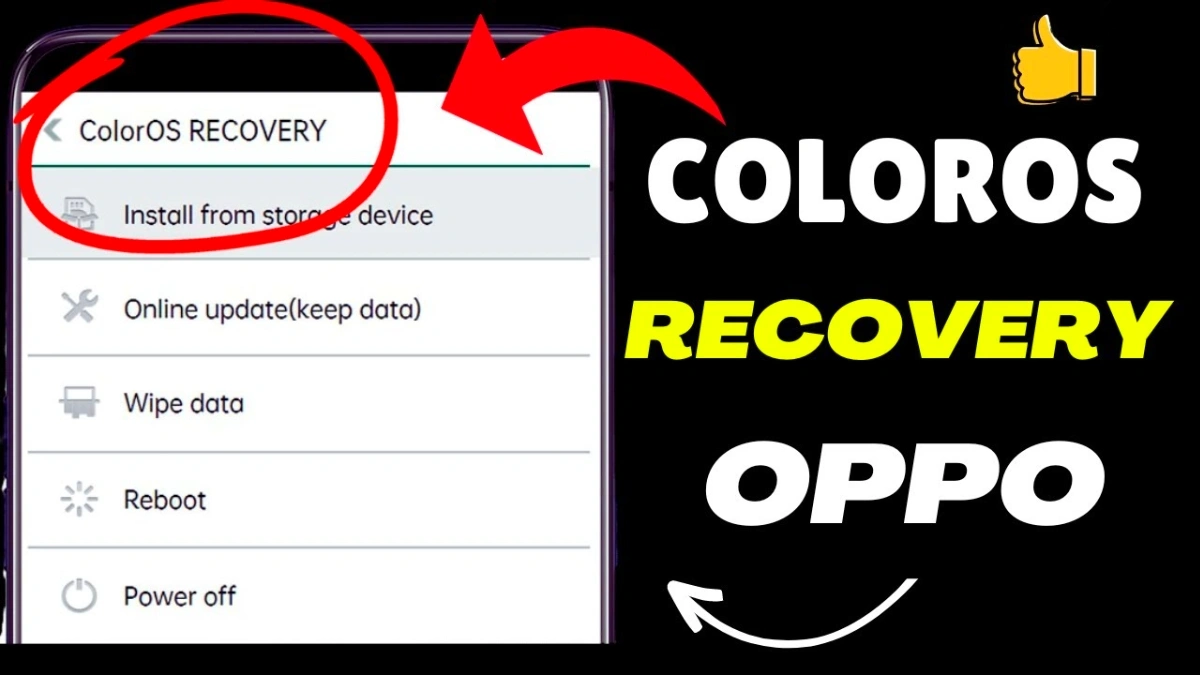
The Oppo ColorOS Recovery Problem is a common issue faced by many users when their phone suddenly boots into recovery mode instead of starting normally. In most cases, this problem appears after a software update, failed restart, or accidental key press.
If your Oppo phone is stuck on the ColorOS Recovery screen, don’t panic. This guide will help you understand the real cause and show you practical solutions that actually work.
Many users search for this topic because they want a safe and permanent solution, not random tricks. So, let’s fix it properly.
🔍 What Is Oppo ColorOS Recovery Mode?
ColorOS Recovery is a built-in system mode in Oppo smartphones. It is mainly used for:
• System repair
• Software update
• Factory reset
However, when your phone enters this mode automatically and gets stuck, it becomes a problem.
Read More: Samsung A51 On Off Problem Solution
Estimated reading time: 3 minutes
Common Causes of Oppo ColorOS Recovery Problem
Software-Related Issues
• Interrupted system update
• Corrupted system files
• Failed OTA installation
Hardware & User Mistakes
• Power + Volume buttons stuck or volume down key fault
• Accidental key combination during restart
• Low battery while updating
Because of these reasons, the phone cannot boot normally and redirects to recovery mode.
✅ How to Fix Oppo ColorOS Recovery Problem (Step-by-Step)
Solution 1 – Reboot the Device Properly
• Select Reboot from the recovery menu
• Wait patiently for the phone to restart
Sometimes, a simple reboot solves the issue.
Solution 2 – Clear Cache Partition
• Go to Wipe Cache Partition
• Confirm the action
• Restart the phone
This method removes temporary corrupted files without deleting personal data.
Solution 3 – Factory Reset (fix oppo coloros recovery)
⚠️ This will erase all data
• Choose Wipe Data / Factory Reset
• Confirm and reboot
Use this only if nothing else works.
Solution 4 – Change Down Key Button
If your Oppo phone keeps opening recovery mode, the Volume Down button may be faulty or stuck. Replacing the down key button fixes the issue and allows the phone to start normally.
🛠️ When You Should Seek Professional Help
If your Oppo phone still shows the ColorOS Recovery screen after all steps, the issue may be:
• Firmware corruption
• Internal storage failure
In such cases, professional flashing or service center support is required.
📌 Final Thoughts
The Oppo ColorOS Recovery Problem is frustrating, but it is 100% fixable in most situations. By following the correct steps and understanding the cause, you can recover your phone safely without unnecessary risk.
FAQ
Yes. You can try rebooting, clearing cache, or checking if the Volume Down button is stuck. If the issue continues, professional repair is recommended.
Yes. Firmware flashing can fix corrupted system files, but it should be done by a professional to avoid further damage.
This usually happens due to a faulty Volume Down button, failed software update, or corrupted system files. In many cases, hardware button damage is the main cause.
No. Down key button replacement does not erase data. Your photos, apps, and files remain safe if only the button is repaired.
Yes. You can try rebooting, clearing cache, or change the Volume Down button or wipe data (software related) to fix this problem