Install UV tempered glass without bubbles can be difficult if you don’t know the correct method. Many smartphone users face issues such as air bubbles, uneven glue spread, or poor finishing while installing a uv glass screen protector.
In this guide, we will explain the professional method of uv tempered glass installation so you can install tempered glass for curved screen phones perfectly. This process works for most modern smartphones with curved display tempered glass.
Read More: Mobile EMI Without Cradit Card
Why UV Tempered Glass is Used for Curved Display Phones
Normal screen protectors often fail on curved displays. That is why many people use curved tempered glass screen protector with UV glue.
Benefits of uv tempered glass include:
• Better adhesion on curved display tempered glass
• Bubble-free installation
> Stronger bonding after UV curing
> Smooth touch experience
Because of these advantages, uv glass tempered glass is widely used for flagship smartphones with curved displays.
Step-by-Step UV Tempered Glass Installation
1. Protect Important Phone Areas
Before starting the installation, cover sensitive areas using tape.
You should cover:
• Speaker holes
• Earpiece
• Power button and volume key area
This step is extremely important because uv glue may enter these holes and damage internal components.
2. Clean the Screen Properly
A perfectly clean screen is essential for uv tempered glass installation.
Use a cleaning cloth or alcohol wipe to remove:
• Dust
• Fingerprints
• Oil marks
A clean surface helps the curved tempered glass stick properly and prevents air bubbles.
3. Apply UV Glue at the Center
Next, apply the uv glue exactly at the center of the display.
In many professional installations, technicians use two glue tubes instead of one. This helps the glue spread evenly across the entire screen, especially for large curved tempered glass screen protector models.
4. Place the UV Glass Carefully
Now gently place the uv glass screen protector from the center of the screen.
Do not press the glass forcefully.
Instead, lightly touch the center and release it slowly.
The glue will automatically spread across the screen and fill the display area evenly.
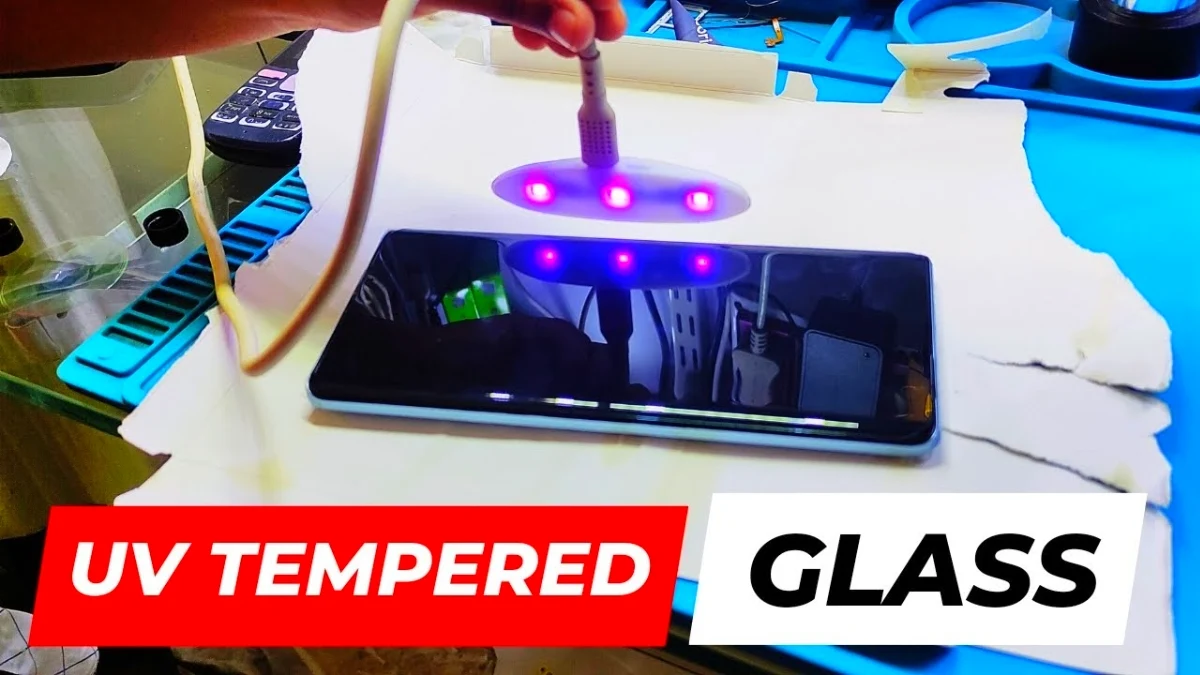
5. Cure the Glue Using UV Lamp
Finally, use a UV lamp to dry the glue.
Move the UV light slowly across the screen from different angles. The longer the UV exposure, the stronger the bonding between the uv glass tempered glass and the display.
This prevents the glass from lifting when you use a phone case.
Final Result (Install UV Tempered Glass)
By following this professional method, you can install tempered glass for curved screen smartphones with perfect finishing and no bubbles.
This technique is widely used in professional mobile repair shops to achieve clean results when installing curved display tempered glass.
For more guides on Android phone unlock service, Google Account Recovery, Remove Google Account After Factory Reset, Google Account Verification Fix, Google Account Verification Bypass, Android FRP Unlock Tool, Mobile Phone Unlock Software, and Mobile Phone Repair Software, visit Subrata Service Center.
Faq
Yes, UV glue can damage internal components if it enters speaker holes or buttons. That is why professionals always cover the speaker, earpiece, and power button using tape before starting the uv tempered glass installation.
Yes, uv tempered glass can be removed carefully by lifting the edge with a thin plastic tool. However, it should be done slowly to avoid damaging the curved tempered glass screen protector or the display underneath.
No, UV tempered glass does not damage the screen if installed correctly. However, excessive glue or incorrect installation can cause issues, so it’s important to follow the proper method.
If UV glue accidentally enters the speaker or buttons, immediately clean it with a dry cloth before curing the glue with UV light. Preventing glue overflow during installation is very important.
first clean the smartphone screen with alcohol wipes . Apply UV glue evenly on the screen, place the tempered glass carefully, and let the glue spread automatically. Finally, use a UV lamp to cure the glue for about 1–2 minutes to fix the glass properly.
Yes, small bubbles can sometimes disappear after the UV glue spreads and cures completely. If large bubbles remain, you may need to carefully lift the glass and reinstall it Properly, or soft press the bubbles to remove it properly.
UV glue usually takes 1–2 minutes under UV light to cure properly. Without UV light, the adhesive may not harden correctly.
FAQ
Bubbles usually appear because of dust particles, uneven glue spread, or incorrect placement of the glass. Cleaning the screen properly and applying the correct amount of UV glue can prevent bubble formation.
UV tempered glass is a special type of screen protector that uses liquid UV adhesive to attach the glass firmly to the smartphone display. After applying the glue, a UV light is used to harden the adhesive, creating a strong bond and smooth touch response.
Yes, UV tempered glass provides better edge coverage, stronger adhesion, and improved touch sensitivity compared to regular tempered glass. It is especially useful for smartphones with curved displays.