 Advertisement
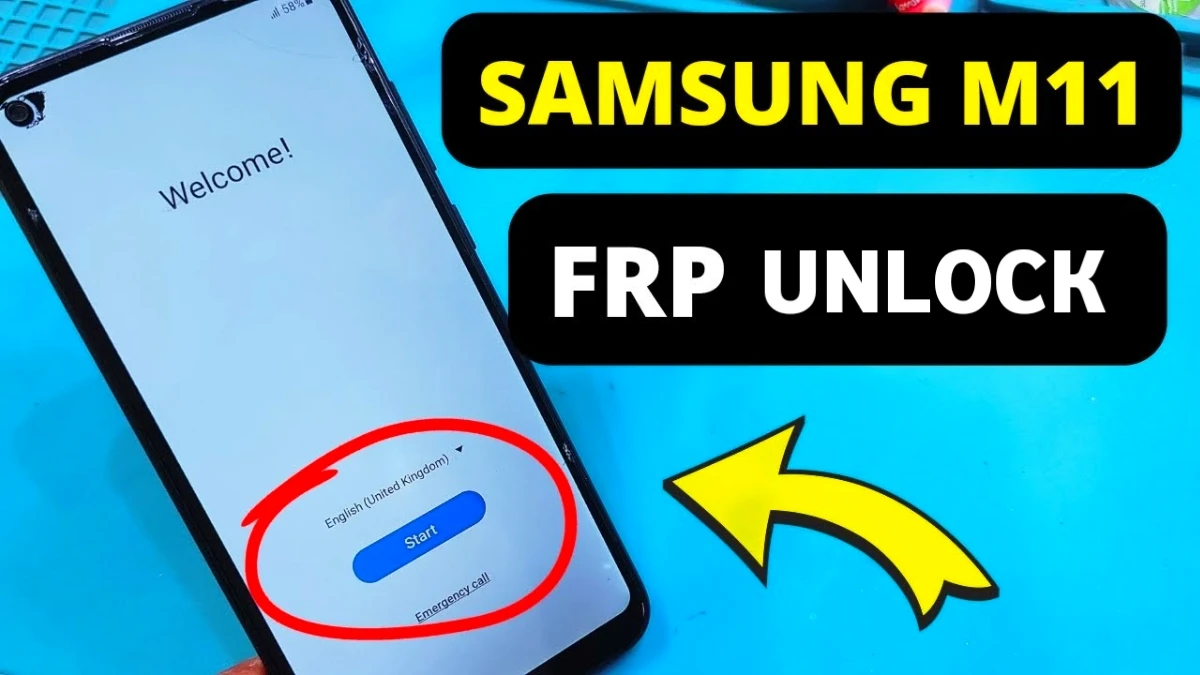
If you recently reset your phone and are stuck on the Google verification screen, this guide will help you perform Samsung Galaxy M11 FRP Bypass After Factory Reset Without PC (2026 Guide) easily.
Factory Reset Protection (FRP) is a security feature on Android devices that prevents unauthorized access after a reset. However, many users forget their Google login details and cannot pass the Google Account Verification screen.
Fortunately, there are a few working methods that allow you to remove Google account after factory reset, fix the Google Account Sign-In problem, and unlock the device quickly.
Read More: Bypass Google Account Samsung A10 After Factory Reset
What is Samsung Galaxy M11 FRP Lock?
FRP (Factory Reset Protection) activates automatically when a Google account is added to an Android device. After performing a reset, the phone asks for the previously synced Google account to verify ownership.
If you forget the credentials, the device remains locked until the Google Account Recovery process or a bypass method is used.
Samsung Galaxy M11 FRP Bypass Without PC (2026 Method)
Follow these steps carefully:
Step 1: Enable TalkBack Mode
First, connect the phone to a stable WiFi network.
Then press Volume Up + Volume Down together to enable TalkBack mode.
Step 2: Open Google Assistant
Next, draw an “L” shape on the screen to open the TalkBack menu.
Tap Use Voice Commands and say “Open Google Assistant.”
If it does not work the first time, repeat the command 2-3 times.
Step 3: Open YouTube (M11 FRP Bypass)
Once Google Assistant opens, say “Open YouTube.” This will open the YouTube app with access to a Chrome browser tab.
Step 4: Visit the Unlock Website
Turn off TalkBack by pressing Volume Up + Volume Down again.
Then tap the Chrome search box and visit your required FRP support website.
Download these files: ( Samsung M11 frp bypass )
• Package Disabler Pro APK
• Notification Bar APK
Step 5: Install Required Apps (Samsung m11 frp bypass)
Next, open Galaxy Store and sign in with any Samsung account.Search for Activity Launcher and install it.
Then install App Launcher and open it to access the phone’s full interface.
Step 6: Disable Google Play Services (M11 FRP)
Go to My Files and install the downloaded APK files.
Open Package Disabler Pro and disable Google Play Services. Finally, restart the phone and complete the setup.
Now the Google Account Verification Bypass process is complete.
Alternative FRP Unlock Method (Using PC)
If the above method does not work, you can use an Android FRP Unlock Tool.
Technicians often use Mobile Phone Unlock Software or professional Mobile Phone Repair Software to erase FRP through test point mode. This method requires a computer and paid unlocking tools used in Android Phone Unlock Service centers.
Final Words
The Samsung Galaxy M11 FRP Bypass after factory reset process can help users regain access to their devices when they forget their Google account details.
However, always try Google Account Recovery first. If recovery fails, the bypass methods above can help you remove Google account after factory reset and fix the Google Account Sign-In problem quickly.
Faq
You can remove the Google account verification by using the Samsung Galaxy M11 FRP bypass method, which allows users to access settings and disable Google Play Services temporarily. This helps bypass the Google verification screen.
Yes. Many users can perform Samsung Galaxy M11 FRP bypass without PC using TalkBack mode, Google Assistant, and browser access. This method helps open settings and install tools required to unlock the phone.
Google account verification appears because Factory Reset Protection is automatically enabled when a Google account is added to an Android phone. After resetting the device, Google requires verification to prevent unauthorized access.
If the manual method does not work, you can try an alternative solution such as Google Account Recovery or use professional mobile phone unlock software to erase the FRP lock through a computer.
To fix the Google account sign-in problem, you can recover your account through Google’s recovery page or perform a verified Google account verification fix using proper Android unlocking methods.
No. A factory reset does not remove Google verification. Instead, it activates Factory Reset Protection, which requires the previously synced Google account to unlock the device.