 Advertisement
Factory Reset Protection (FRP) is the security feature created by Google to prevent unauthorized factory reset on Android device. FRP is a good security layer but it has locked out a lot of people from their own devices for forgetting their Google account credentials. Here people discuss FRP bypass strategies, APK files and other related resources.
When Android customers are looking for information on how to get access back to their devices, they search for FRP bypass file, FRP file bypass, FRP bypass APK file and FRP bypass files APK. Understanding the purposes of FRP and why these files exist will help users make informed decisions when troubleshooting activation issues on Android.
READ MORE: What is esim and how dose it work
frp bypass file download
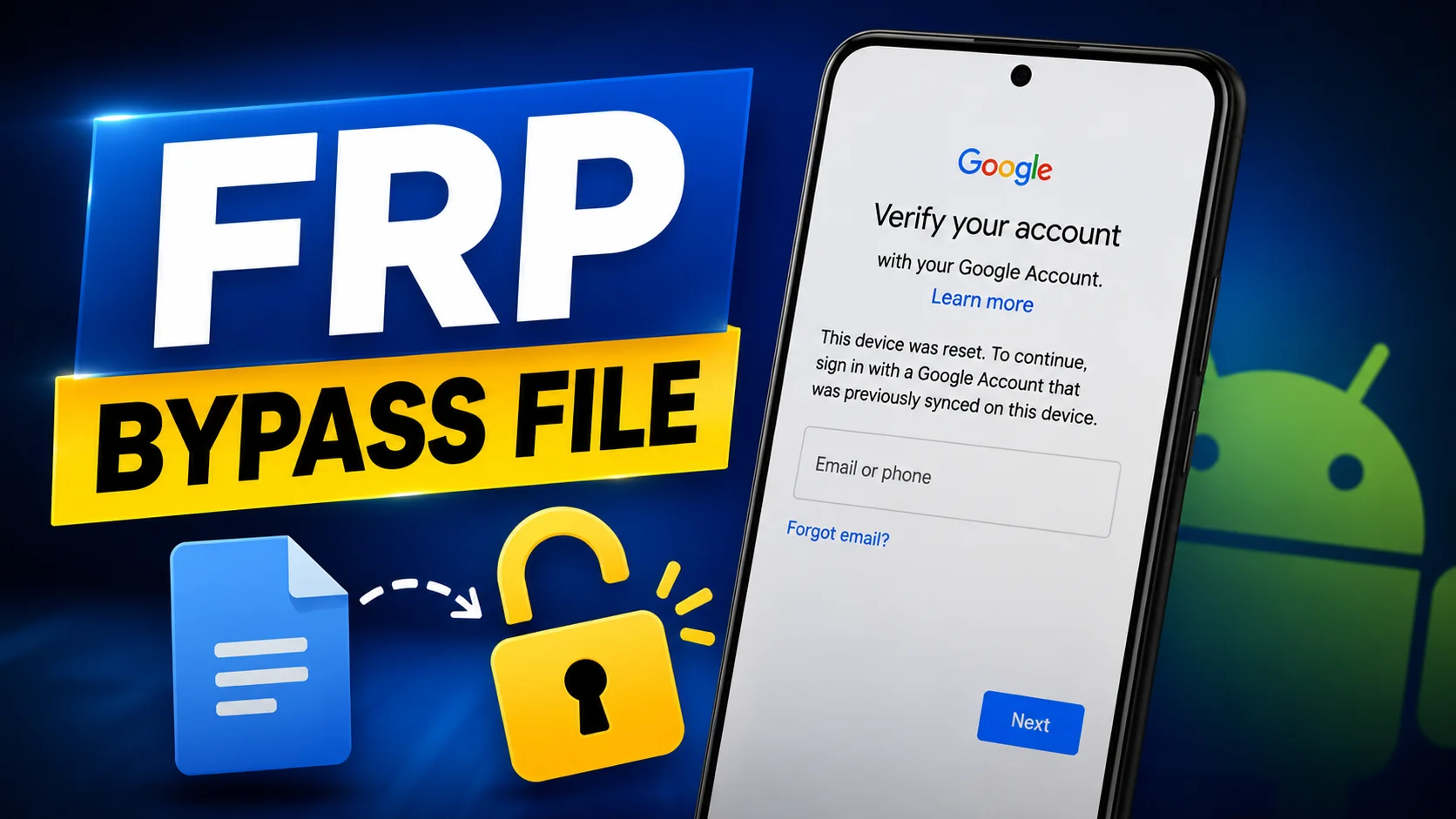
An FRP bypass file is often a resource, tool, configuration package or support file used for deleting or bypassing the Google account verification prompt on Android devices. Normally these files are related to troubleshooting processes that allow consumers to get their phone back after a factory reset.
The FRP bypass file will work differently based on the device manufacturer, Android version and security patch level. Samsung, Xiaomi, Vivo, Oppo, Realme, Motorola and other Android companies require various implementations in their OS. So people typically want newer files that will operate with their specific device model and Android version.
Users must understand the possible risks involved and confirm the compatibility of the device before utilizing any file connected to FRP. New Android security updates affect old files and it is crucial to follow updated instructions and official recovery solutions where possible.
frp unlock file for android
Android users sometimes google the term FRP file bypass when they want to circumvent Google account verification after a factory reset of their device. This usually involves the use of software tools , browser-based techniques , accessibility features or app packages that assist with account recovery .
-
- Open
 Samsung Galxy Store
 - Open
 Google Quick Search Box
 - Open
 Settings App
 - Open
 Set Screen Lock
 - Open
 YouTube App
 - Open
 Samsung My Files
 - Open
 Chrome Browser
 - Open
 Samsung Internet Browser
 - Open
 Calculator
 - Open
 Alliance Shield
 - Open
 Android Hidden Settings
 - Open
 Login Google Account
 - Open
 Home Launcher
 - Open
 ADB
ADB - Open
 Google Maps
 - Open
 USB Settings
 - Open
 *#0*#
*#0*# - Open
 Google Assistant
 - Open
 Gmail
Gmail - Open
 S9 Launcher
 - Open
 Samsung Touch ID
 - Open
 Samsung Secure Folder
 - Open
 Samsung Smart Switch App
 - Open
 Samsung Dialer Call
 - Open
 Palm Store
 - Open
 Xiaomi ShareMe
 - Open
 Mi File Manager
 - Open
 Activity Launcher (Latest Version)
 - APK Activity Launcher (Old
Version Apk)
- Open
 EasyShare App
- APK
EasyShare App {Old Version Apk – Do Not Install New Version)
- Open
 Clone Phone OnePlus
 - Open
 OPPO Phone Clone
 - Open
 Alliance Shield on Galaxy Store
 - Open
 Files Shortcut on Galaxy Store
 - Open
 Accessibility
 - Open
 Motorola Moto
 - Open
 Moto Secure
 - Open
 Moto Hello You
 - Open
 Motorola Launcher
 - Open
 ASUS Phone Clone
- Open
- Alliance Shield.Apk
- Bar Settings.Apk
- Notification Bar.Apk
- Package Manager 70.Apk
- Package Disabler Pro.Apk
- Package Disabler Pro 13.5.Apk
- Google Account Manager 5.0.Apk
- Google Account Manager 6.0.Apk
- Google Account Manager 7.0.Apk
- Google Account Manager 8.0.Apk
- Google Account Manager 8-9-10.Apk
- FRP Bypass.Apk
- FRP Bypass Android 7.Apk
- Test DPC.Apk
- QuickShortcutMaker.Apk
- Apex Launcher.Apk
- Nova Launcher.Apk
- Menu Button.Apk
- ES File Explorer.Apk
- Settings.Apk
- HushSMS.Apk
- Phone Clone.Apk
- File Commander Manager.Apk
- Factory Test.Apk
- XShare App.Apk
- Activity Launcher.Apk
- Palm Store.Apk
If a device asks for the Google account previously synchronized on the device and you have forgotten the password, you may be locked out. In this instance, the best and safest method would still be to retrieve the original google account. Google offers official account recovery tools that you can utilize to recover your account without relying on third-party services.
But many people are still looking for FRP bypass solutions because they want to know the device compatibility, Android version support, and troubleshooting choices available. Understanding the security objective of FRP is vital, as it is intended to stop unwanted access to lost or stolen devices.
FRP APK
FRP bypass APK file is an Android application package file. It is generally referred to in the context of FRP troubleshooting techniques. APK files are installation packages for android devices that let to install apps outside the official app stores.
Different device manufacturers and Android versions have different options for FRP bypass apk file. Some tools are designed to let the user access browser functionalities, settings menus or account management screens as part of troubleshooting processes . Compatibility can be very different based on security patches and program updates.
Users should be wary when obtaining APK files from third party sources. Unverified APKs can contain malware, security flaws, or compatibility difficulties. Users must always use official account recovery channels and support sources. Device users should also ensure they’re complying with local laws, manufacturer regulations and Google’s terms of service.
Older APK files may not work with updated Android security. That’s why users are always looking for the latest FRP bypass apk file that is compatible with the latest Android versions and security updates.
Bypass FRP APK
Android difficulties FRP bypass files apk for resource packages is a word often searched by people . These can be APK packages, configuration files, support tools and tutorial material to assist with device recovery scenarios.
The difficulty with Android phones is that there are so many different manufacturers and there is no one solution that will work on all of them. The procedures may be different for Samsung devices, compared with Xiaomi, Vivo, Oppo, Realme or Motorola devices. Android 10, Android 11, Android 12, Android 13, Android 14 and higher also have security improvements that may compromise compatibility.
First of all, those customers who are looking for FRP bypass files APK should know the prerequisites for their device model before moving further with any troubleshooting methods. You can check the current documentation, look for compatibility information and use credible sources to avoid potential problems.
It is also vital to remember that the purpose of FRP is to protect the user’s data and device ownership. No attempt shall be made to troubleshoot any device other than those owned by the user or those for which the user has express permission to troubleshoot.
frp bypass files
Generally, a bypass FRP file is a resource that can be utilized to troubleshoot the Android account verification. The effectiveness of these files will rely on things like Android version, security patch date, device model and manufacturer constraints.
More sophisticated security systems in today’s Android handsets make it difficult to gain unwanted access. A lot of previous bypass strategies don’t operate the same way now. Android OS changes often therefore consumers are searching for bypass FRP file latest details.
The first solution consumers resort to when dealing with FRP issues is always to retrieve the original Google account. You do not require any extra software and many access problems can be fixed with the Google Account Recovery tools. Ensure your recovery information ( phone number, backup email ) is current – one less problem for you down the road .
Understanding how bypass FRP file resources work will help users navigate Android security systems with more confidence, stay updated on best practices, and be aware of the device ownership requirements.
Google FRP Bypass
DOWNLOAD FRP bypass file is one of the most searched terms among Android users who get stuck on the Google account verification screen after resetting their device. Often these searches are a desire to uncover troubleshooting tools that could aid to get access to a phone again.
Users have to know from where the file is coming from. Compatibility information and any security threats of every file should be checked before downloading it. If downloaded from untrusted sites devices may be exposed to virus, unwanted software or data security risks.
The safer method to go is by using Google’s official account recovery options. Contact the maker of the equipment, authorized service centres or other competent technical personnel for further assistance. This helps to guarantee that any rehabilitation procedure is undertaken safely and responsibly.
With Android security getting stronger all the time, it’s more crucial than ever to be aware of what legitimate recovery methods are out there. The best method to avoid FRP problems in the future is to be a responsible device owner, safeguard your accounts and do regular backups.
Conclusion
FRP security is crucial for Android devices and data protection for users. If you are looking for FRP bypass file, FRP file bypass, FRP bypass APK file, FRP bypass files APK, bypass FRP file or FRP bypass file DOWNLOAD, you should know the purpose of Factory Reset Protection.
The best way to do this is to keep your Google account available at all times, use official recovery solutions when possible and make sure you are using the right tools or resources before installing them. By staying vigilant and careful, Android users can improve their device’s security and reduce the danger of being locked out of their accounts.
Note:
This page is for educational and informational purposes only. FRP related programs and files are to be used only on machines that you own or have legal access rights to.
FAQ (Frequently Asked Questions)
The FRP bypass file utility is an Android debugging tool that helps you unlock a device that is locked by Google’s Factory Reset Protection (FRP) feature after a factory reset. Different devices and different versions of Android may require different solutions.
Some Android devices may have some troubleshooting alternatives that don’t require a computer, but your options will depend on your device type, Android version, and security patch level.
People are frequently looking for FRP bypass files for Samsung, Xiaomi, Redmi, Vivo, Oppo, Realme, Motorola, Nokia, Huawei and other Android handsets. Compatibility is dependent on the model and the software version.
Will factory reset bypass FRP? Most of the time, the answer is no. After the reset, you will need to verify the device using the Google account that was synchronized previously.
approach: The best approach is to follow the official Google account recovery process . The best and most reliable technique to get access to a locked device is to recover the original account.
APK Tools Availability Related To FRP constantly changing with Android Security Update. Check the compatibility with your individual device and software version before you begin any troubleshooting step.