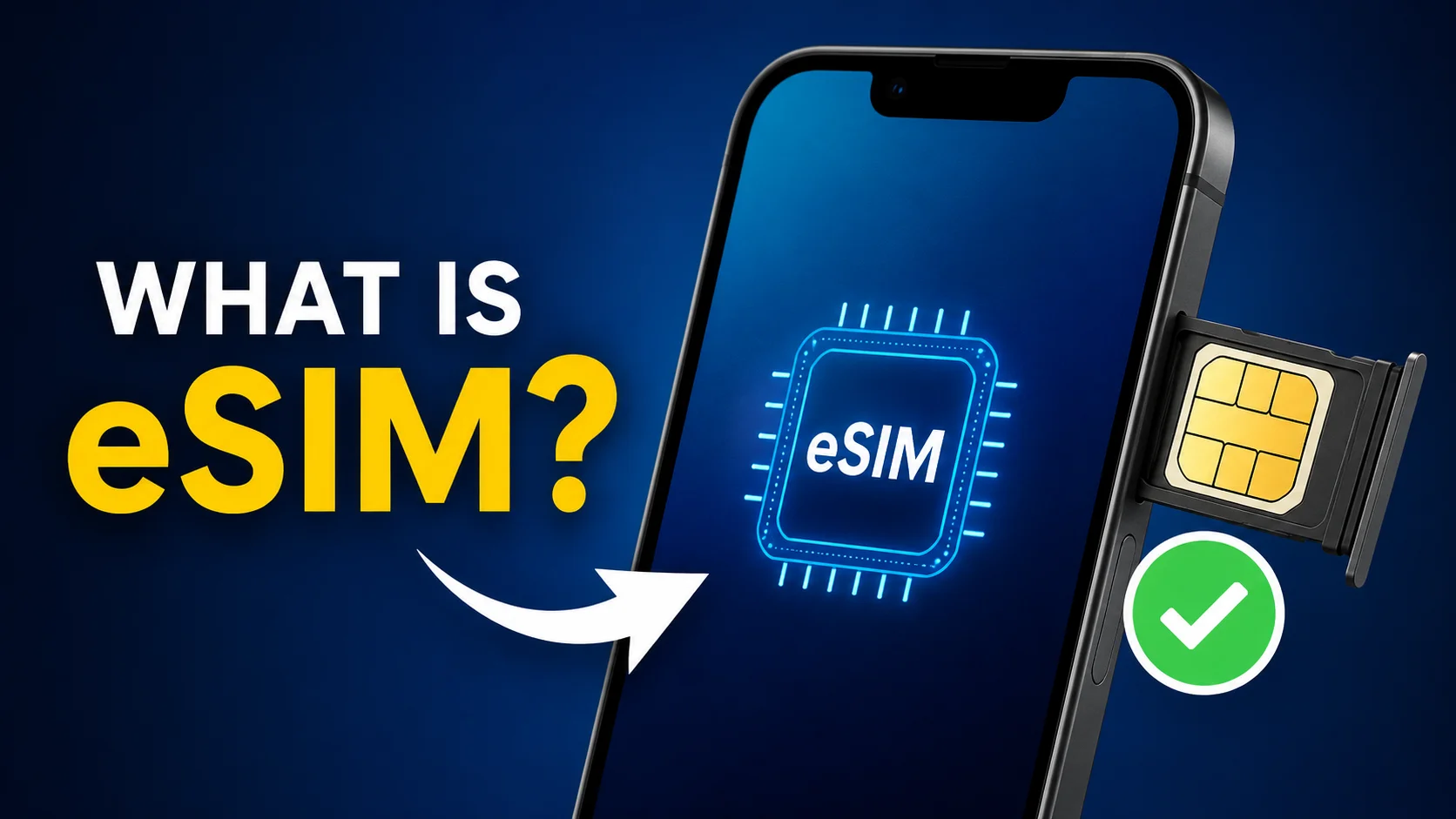
eSIM (Embedded Subscriber Identity Module) is the electronic version of a traditional SIM card. Instead of a normal SIM card that you insert into a tray, eSIM is built directly into the hardware of the iPhone. It works like a SIM card connecting your phone to your mobile carrier, but instead of a physical card, it does so completely through software.
The biggest benefit of this technology is convenience. Instead of going to a store to pick up a new SIM card or waiting for one to arrive in the mail, you can activate a cell plan digitally in a matter of minutes. Your iPhone will automatically download the necessary data after it receives an activation profile from your carrier.
There’s no small card to lose, break, or replace when you’re using an eSIM. It’s a modern alternative for today’s mobile consumers, and it’s all managed from your phone’s settings.
Read More: Android Screen Damage Insurance Claim Process
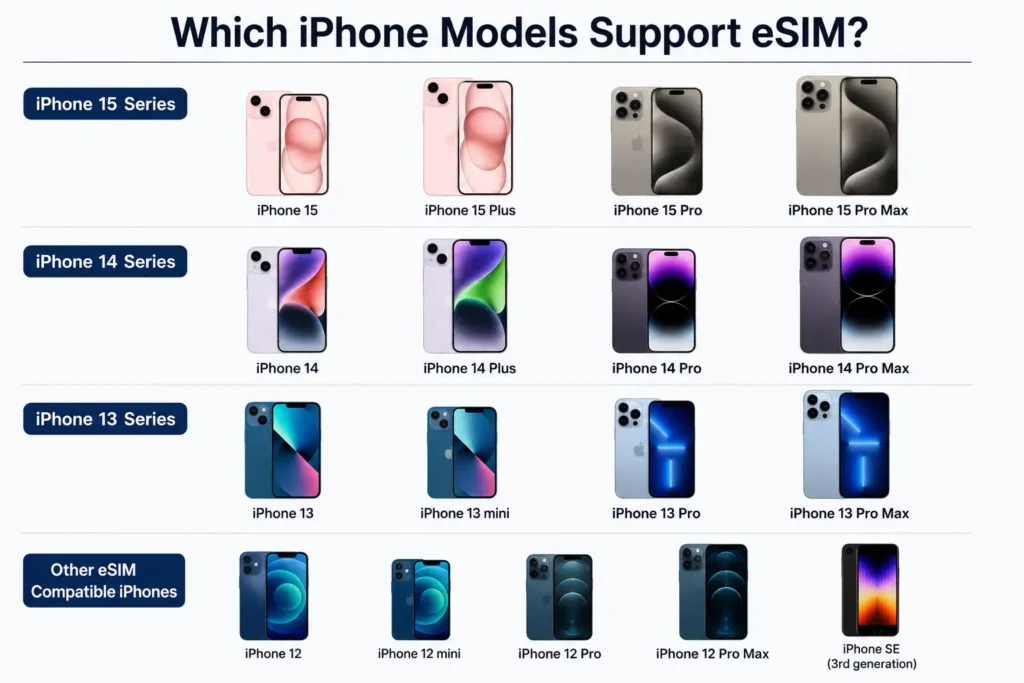
Which iPhone Models Support eSIM?
Apple was the first to adopt eSIM technology in 2018 with the launch of the iPhone XS, iPhone XS Max, and iPhone XR. Since then, eSIM technology has been added to nearly every new iPhone model released, enabling users more flexibility and making it easier to switch carriers or use multiple phone lines on one device.
These iPhone models support eSIM:
| iPhone Series | eSIM Support |
|---|---|
| iPhone XR | Yes |
| iPhone XS | Yes |
| iPhone XS Max | Yes |
| iPhone 11 | Yes |
| iPhone 11 Pro | Yes |
| iPhone 11 Pro Max | Yes |
| iPhone 12 Mini | Yes |
| iPhone 12 | Yes |
| iPhone 12 Pro | Yes |
| iPhone 12 Pro Max | Yes |
| iPhone 13 Mini | Yes |
| iPhone 13 | Yes |
| iPhone 13 Pro | Yes |
| iPhone 13 Pro Max | Yes |
| iPhone 14 | Yes |
| iPhone 14 Plus | Yes |
| iPhone 14 Pro | Yes |
| iPhone 14 Pro Max | Yes |
| iPhone 15 | Yes |
| iPhone 15 Plus | Yes |
| iPhone 15 Pro | Yes |
| iPhone 15 Pro Max | Yes |
| iPhone 16 | Yes |
| iPhone 16 Plus | Yes |
| iPhone 16 Pro | Yes |
| iPhone 16 Pro Max | Yes |
Many of these devices support Dual SIM functionality, allowing customers to use an eSIM and a traditional SIM at the same time. Switching between personal, business, or travel plans is easy when needed, as some of the newer models support the storage of multiple eSIM profiles.
Some of the newer iPhones are sold in areas where they don’t even have a physical SIM tray. For example, newer iPhones sold in the US only use eSIM technology. This change aligns with Apple’s desire to give consumers a more convenient, wholly digital mobile experience and to create simpler, more durable devices with fewer physical parts.
An iPhone with an eSIM means you’re prepared for the future of cellular connectivity as mobile carriers across the globe team up to make eSIM compatibility a reality.
How to Activate eSIM on iPhone
Activating an eSIM on an iPhone is easy and usually takes just a few minutes. Instead of a physical SIM card that you have to insert into your device, an eSIM is activated digitally through your carrier’s network. Depending on your mobile carrier and iPhone model, there are a couple of simple methods to set up an eSIM and begin using cellular service immediately.
1. Use eSIM Quick Transfer
If you’re upgrading from an older iPhone to a newer one, the easiest way to do so is with eSIM Quick Transfer. This feature allows you to transfer your existing cellular plan from your old iPhone to your new device without having to go to a carrier store or wait for a new SIM card.
Keep the two iPhones close together and follow the on-screen setup instructions. Your iPhone will detect the cellular plan you are using and guide you through the transition. Once you confirm the transition, your eSIM profile will be securely transferred to the new device, and your service will be activated in minutes.
This method is especially useful for users who upgrade their iPhones frequently because it completely eliminates the need for physical SIM cards.
2. Activate eSIM Using Your Carrier’s App
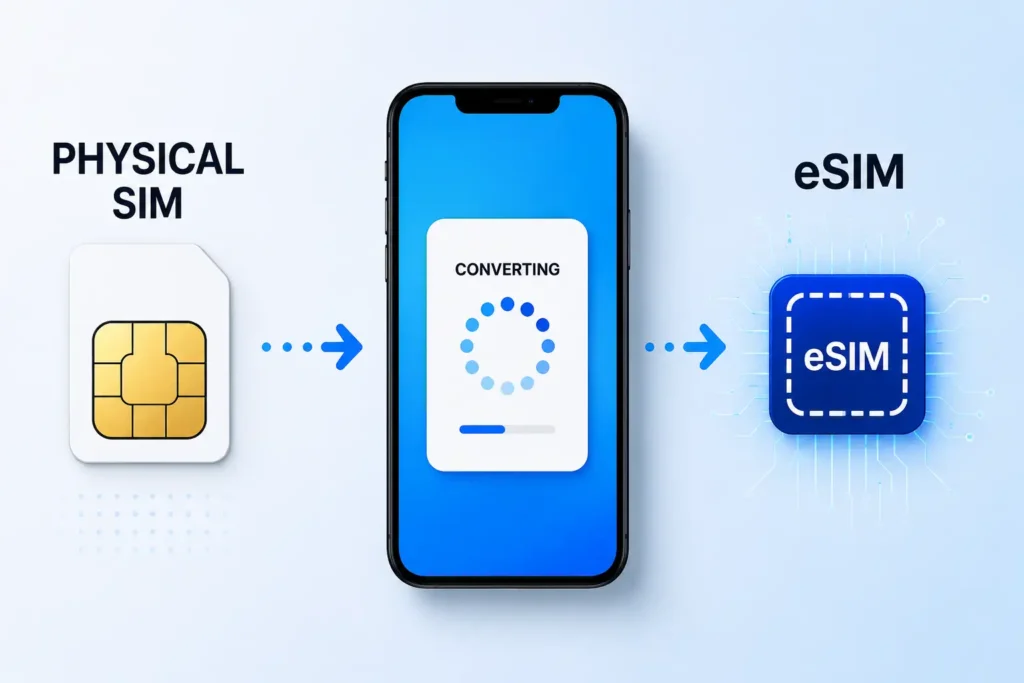
Most mobile carriers now support eSIM activation through their official mobile apps. This allows users to convert a physical SIM to an eSIM or activate a new mobile plan without going to a retail store.
Download your carrier’s app, sign in to your account, and find an option such as Convert to eSIM, Activate eSIM, or Manage Cellular Plans. Follow the app’s instructions, and your iPhone will download the eSIM profile automatically.
The process is fast, safe, and especially useful for users who want to manage their mobile services online.
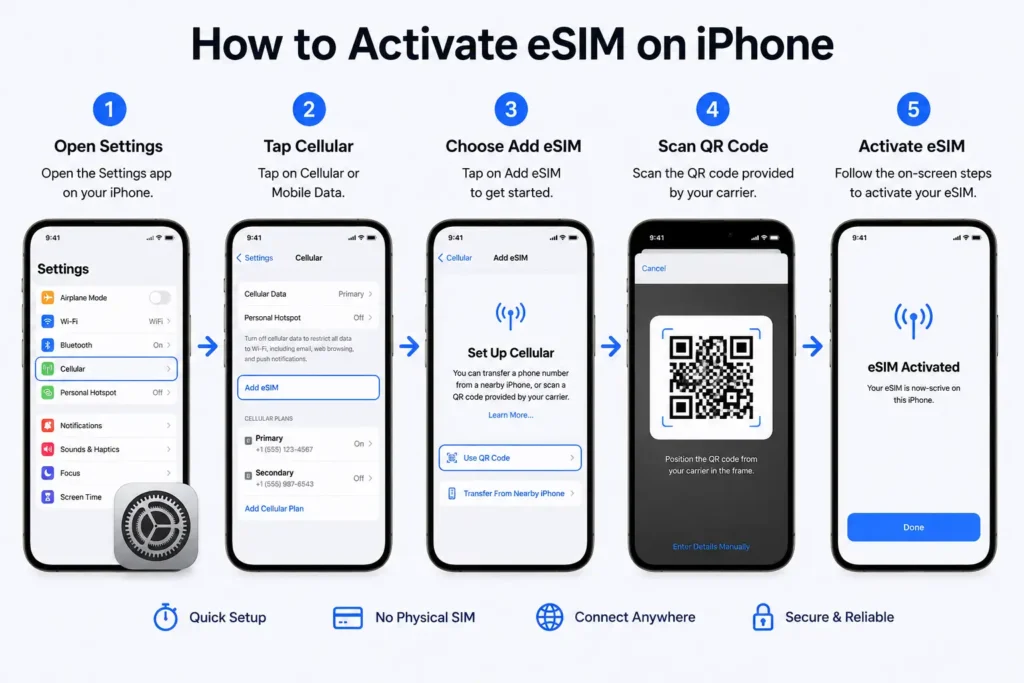
3. Activate eSIM with a QR Code
Another popular option is to activate your eSIM by using a QR code provided by your mobile carrier. Usually, your carrier will send you this QR code via email or show it on your online account dashboard.
To activate the eSIM:
- Go to Settings on your iPhone.
- Tap Cellular or Mobile Data.
- Choose Add eSIM.
- Select Use QR Code.
- Scan the QR code provided by your carrier.
- Follow the steps to complete activation.
Once the profile has been downloaded, your iPhone will automatically connect to the network, and you can call, text, and use mobile data.
4. Things to check before enabling eSIM
Before you begin the activation process, check:
- Your iPhone works with eSIM.
- Your iPhone is unlocked or is compatible with your carrier.
- Your carrier supports eSIM.
- Your device is connected to a reliable Wi-Fi network.
- Your iPhone is running the latest version of iOS.
Verifying these requirements in advance can prevent activation problems and ensure a smoother process.
Benefits of Using eSIM on iPhone
Convenience: One of the greatest benefits of this is convenience. No longer do you have to carry tiny SIM cards or look for a SIM ejector tool. All can be done digitally in the settings of the phone.
Another big plus is easier carrier switching. You don’t have to wait for a new SIM card if you want to switch networks. You can begin a new plan almost immediately.
Dual SIM Capability: eSIM is also great for people who want 2 phone numbers. Many iPhones allow users to pair an eSIM with another eSIM or physical SIM, which provides a simple way for them to separate personal and work contacts.
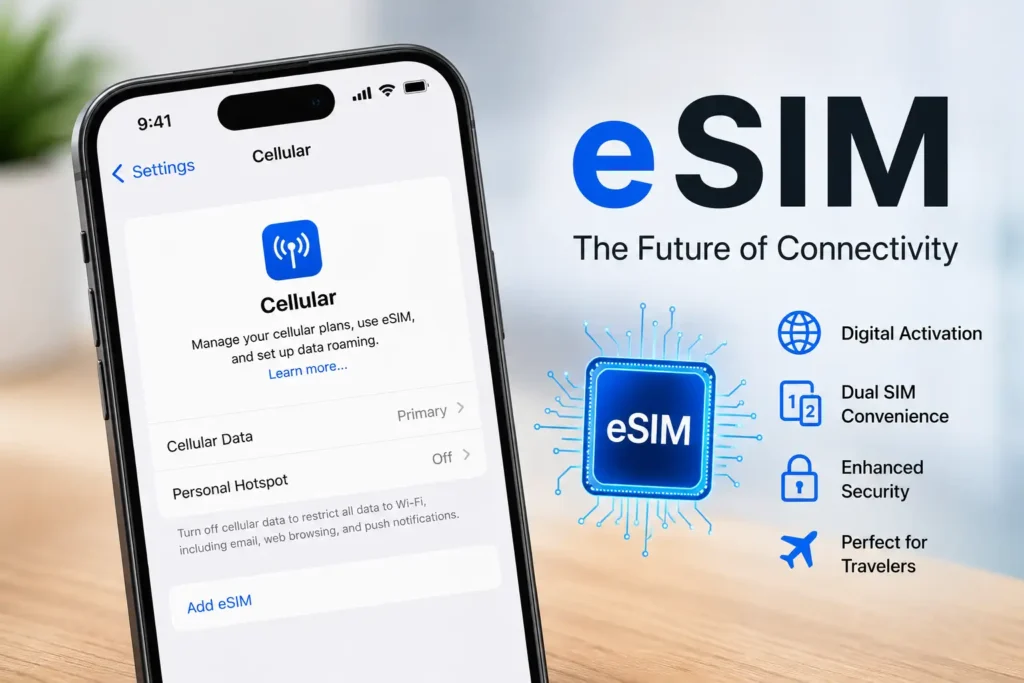
Travel Friendly: Travelers love eSIM because it enables them to purchase local data plans before they arrive in another country. They no longer need to search for a mobile shop at the airport; they can turn on a local network directly from their phone.
Enhanced Security: Security is another big advantage. Since the eSIM is embedded inside the device, it can’t be ripped out easily by thieves, and your phone will stay disconnected from the network. This can increase the odds of finding and getting back the device if it’s lost or stolen.
Drawbacks of eSIM on iPhone
The biggest problem is carrier support. The eSIM is starting to get a lot of popularity, but not all mobile networks are supporting this feature yet. Make sure to check if your carrier supports eSIM before you buy an eSIM-only device.
Another downside is that moving an eSIM to a new phone can sometimes be a bit more complicated. Apple has simplified the process, but some carriers may require verification or manual activation.
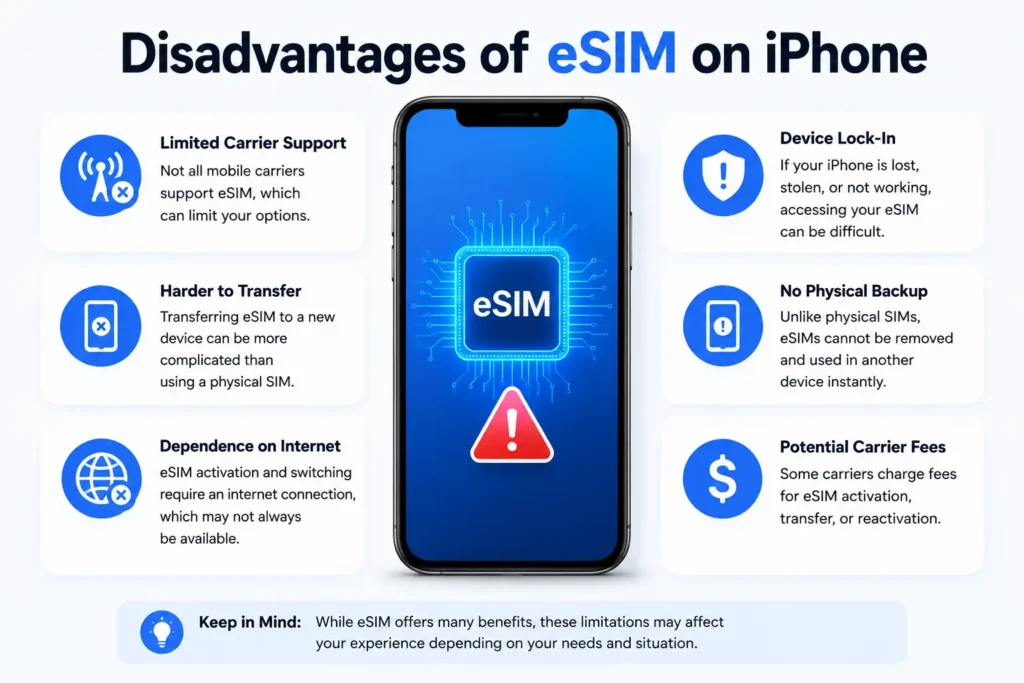
Troubleshooting can also be a bit more difficult. You can just take out a physical SIM card and pop it back in to fix minor problems. With eSIM, troubleshooting is often an issue of software settings and carrier help.
Finally, if you’re going to a country that hasn’t fully embraced eSIM, a traditional SIM card might be an easier option.
eSIM vs. Physical SIM: Which is Better?
| Feature | eSIM | Physical SIM |
|---|---|---|
| Installation | Digital | Manual |
| Carrier Switching | Easy | Need new SIM |
| Security | High | Moderate |
| Dual SIM | Excellent | Limited |
| Travel Convenience | Excellent | Good |
| Physical Damage | Impossible | Possible |
Conclude:
- For most modern users, eSIM is better.
- Physical SIM retains an advantage in areas with limited carrier support.
Is eSIM on iPhone safe?
Well, eSIM is very safe and secure. It is more secure than a normal SIM card, many experts say. The system uses carrier authentication and strong encryption to keep your data safe.
Since eSIM is built into the phone, it can’t be taken out or stolen. In addition, Apple has strong security safeguards to help protect your mobile profile and device. Other security features include Find My iPhone, Activation Lock, and secure account verification.
eSIM is a reliable and secure technology for everyday use if you download carrier profiles from reputable companies and keep your Apple ID secure.
Frequently Asked Questions (FAQ)
Yes. You can use one eSIM and one physical SIM at the same time on some iPhone models that support Dual SIM. Some new models even support multiple eSIM profiles.
No, the speed of the internet is determined by your carrier, coverage area, and plan. Your internet speed is not affected by whether you use a physical SIM or an eSIM.
Yes. You can delete an eSIM profile from the iPhone settings at any time. But if you delete it, your mobile service might be cut off until a new profile is installed.
The eSIM hardware is integrated into the iPhone for free. Carriers may, however, charge for mobile plans or activation services as per their policies.
Yes. Apple does allow you to transfer eSIM profiles between compatible iPhones, though the exact process may vary depending on your mobile carrier.
Summary of the Story
eSIM is the future of mobile connectivity and is quickly becoming the standard for modern smartphones. An eSIM saves all of your carrier info digitally in the iPhone, instead of requiring a removable SIM card. This makes activation easier, switching carriers faster, and managing multiple phone numbers more convenient.
So, if you are a traveler, a business user, or just someone who wants a hassle-free mobile experience, eSIM has many advantages to make using your smartphone easier and more flexible in everyday life. With more carriers across the globe adopting this technology, eSIM is likely to play an even bigger role in the future of mobile communications.